
Your recording equipment is one of the most significant investments you’ll make as a musician, producer, or audio professional. Microphones, audio interfaces, mixers, studio monitors, and amplifiers all represent serious money, and serious creative tools. The difference between gear that lasts ten years and gear that fails in two almost always comes down to how well it’s maintained.
At Brocky’s Electronics, we repair and service recording equipment for musicians and studios across the Sunshine Coast every week. We see the same preventable faults time and again, and most of them come back to simple maintenance habits that were never put in place. Here’s what we recommend to every client who wants their gear to keep performing at its best.
Why Maintenance Matters More Than You Think
As Wikipedia’s overview of sound recording and reproduction highlights, modern audio equipment involves complex electrical and mechanical components that degrade over time without proper care. Dust, humidity, power fluctuations, and physical wear all take their toll, often gradually enough that you don’t notice the decline until something fails completely.
The good news is that most recording equipment failures are preventable. Here’s how.
1. Keep Everything Clean and Dust-Free
Dust is one of the most underestimated threats to audio gear. It clogs ventilation, settles into fader tracks and potentiometers, and over time causes static noise, sticky controls, and overheating.
Good habits to build:
- Wipe down surfaces weekly with a clean microfibre cloth
- Use compressed air to clear dust from vents, knobs, and hard-to-reach areas
- Cover mixers, interfaces, and studio monitors with dust covers when not in use
- Vacuum around cable runs, equipment racks, and stands regularly
A clean studio is a studio where your recording equipment lasts significantly longer.
2. Protect Your Gear From Power Surges
A sudden power spike can destroy the internal components of a mixer, interface, or monitor in an instant. Queensland’s storm season makes this particularly relevant for Sunshine Coast studios.
Every studio setup should include:
- Quality surge-protected power boards for all audio equipment
- An Uninterruptible Power Supply (UPS) for sensitive digital gear
- Isolated power outlets to reduce electrical noise interference
- Avoiding daisy-chaining too many devices off a single outlet
Power protection is cheap compared to replacing a professional audio interface or studio monitor after a surge event.
3. Store and Handle Cables Correctly
Cables take more punishment than almost any other part of a studio setup. Kinking, tight wrapping, and rough handling damage the internal conductors long before the outer insulation shows any visible signs.
Correct cable habits:
- Coil cables using the over-under method to prevent internal twisting
- Use Velcro ties for storage rather than wrapping tightly around equipment
- Label cables by type and length so you’re not yanking the wrong one out in a hurry
- Replace any cable that crackles, cuts out, or feels loose at the connector
A set of quality cables, properly stored, will outlast a cheaper set handled carelessly by several years.
4. Clean Connectors and Jacks Regularly
Oxidised or dirty XLR, TRS, and USB connectors cause crackling, signal dropout, and intermittent faults that are easy to mistake for more serious equipment problems.
How to clean them properly:
- Use electronics-grade contact cleaner, never household sprays or WD-40
- Apply with a cotton swab or soft brush
- Clean all input and output connectors every three to six months
- Pay particular attention to any connectors used outdoors or in high-humidity environments
Queensland’s coastal humidity accelerates oxidation on metal contacts, making this step especially important for Sunshine Coast studios.
5. Control Your Studio Environment
Temperature and humidity have a direct impact on how long your recording equipment performs reliably. Electronics work best in stable, moderate conditions, and Queensland’s climate can push things in the wrong direction without proper management.
Ideal studio conditions:
- Room temperature between 18 and 25 degrees Celsius
- Moderate humidity, avoiding both extremes of damp and dry
- No direct sunlight falling on equipment surfaces
- A dehumidifier in studios that tend to be damp, particularly in coastal areas
Extreme heat and moisture warp components, corrode contacts, and shorten the service life of every piece of gear in your setup.
6. Handle Microphones With Extra Care
Microphones, particularly condenser models, are among the most sensitive pieces of recording equipment in any studio. Mishandling causes internal damage that often isn’t immediately obvious but shows up as degraded frequency response or added noise over time.
Microphone care basics:
- Always use a shock mount during recording sessions
- Store microphones in protective cases when not in use
- Never blow into a microphone to test it, use a gentle voice or audio signal
- Keep microphones away from moisture, smoke, and extreme temperatures
A microphone that sounds dull, distorted, or noisy may need professional cleaning or servicing rather than replacement.
7. Keep Firmware and Software Updated
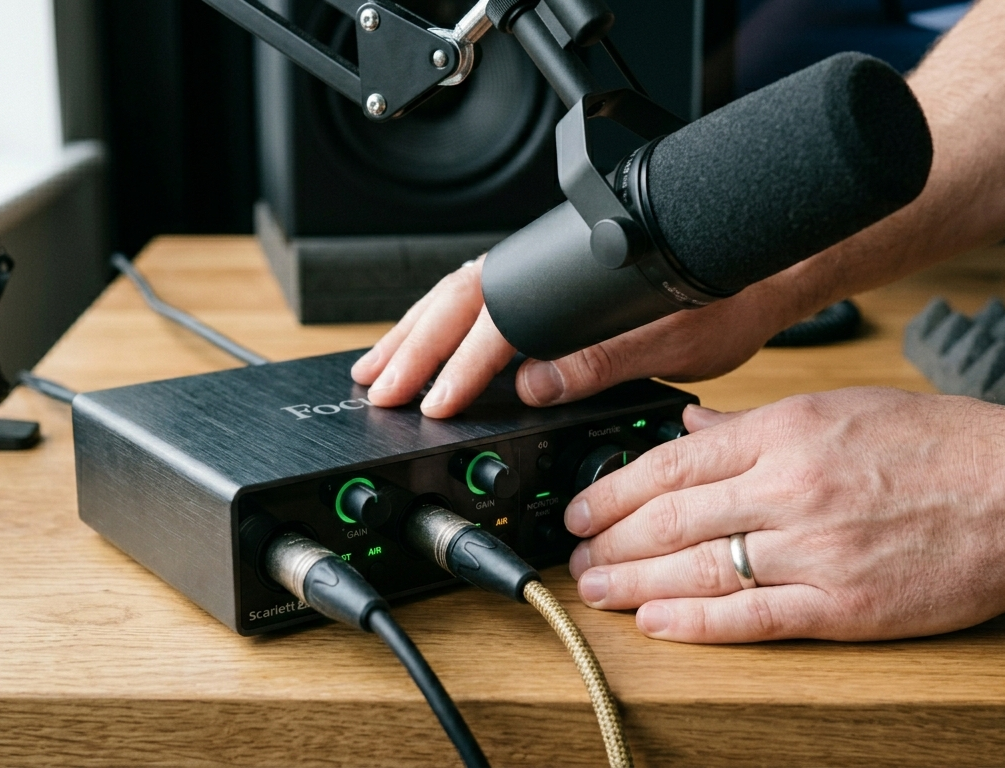
Digital recording equipment, including audio interfaces, digital mixers, and DAW controllers, relies on firmware and software drivers to function correctly. Outdated firmware causes compatibility issues, unexpected crashes, and reduced performance.
Regular digital maintenance:
- Check manufacturer websites quarterly for firmware updates
- Keep DAW plugins, drivers, and operating system audio settings current
- Back up all configuration settings and session presets before installing any update
- Don’t skip updates that include bug fixes or security patches
For comprehensive guidance on keeping audio gear maintained, recording equipment care resources provide some of the most detailed and reliable advice available for Australian home and professional studios.
8. Inspect for Loose Connections Regularly
Loose jacks, ports, and knobs are one of the most common early warning signs of developing faults. Left unattended, they become intermittent signal issues and eventually full failures.
What to check every few months:
- Inspect all input and output connectors for physical looseness
- Tighten any loose mounting nuts on jack sockets
- If knobs or faders wobble more than usual, internal re-soldering may be needed
- Test every input and output, including ones you don’t use regularly
Catching these early saves you from a much more expensive repair later.
9. Schedule Annual Professional Servicing
Even with excellent maintenance habits, recording equipment benefits from a professional inspection once a year, or immediately after any incident involving a power surge, liquid spill, or physical impact.
A professional technician can:
- Test signal levels across all channels and outputs
- Identify components approaching the end of their service life
- Clean internal components that aren’t accessible from the outside
- Recommend preventive replacements before failures occur
If your setup also includes valve amplifiers, our valve amplifier repair and servicing covers everything from routine bias checks to full internal overhauls, well worth factoring into your annual maintenance schedule.
For a broader overview of the full range of audio and music equipment we service on the Sunshine Coast, our comprehensive music equipment repair covers everything from studio gear to live performance equipment.
Why Sunshine Coast Musicians Trust Brocky’s Electronics
We’re a local Sunshine Coast workshop with real technicians who understand recording equipment because many of us use it ourselves. When you bring gear to us, you get an honest assessment, realistic pricing, and practical advice about whether repair or replacement is the better call.
See what other Sunshine Coast musicians and audio professionals think of our work by checking out what our customers say before you get in touch.
Explore the full range of repairs, servicing, and diagnostics we offer at Brocky’s Electronics, from studio gear and live sound equipment to valve amplifiers and television servicing.
Book Your Recording Equipment Service Today
Whether it’s a routine annual inspection, a specific fault, or just peace of mind before a big session, the team at Brocky’s Electronics is ready to help.
Visit us at Shop 6/12 Newspaper Place, Maroochydore QLD 4558, call us on 1800 544 644 or text 0422 394 174, Monday to Friday between 8:30am and 4:00pm.
Get in touch to book your recording equipment service or get a no-obligation quote.
FAQs
1. How often should I have my recording equipment professionally serviced?
We recommend a professional inspection at least once a year for regularly used studio gear, or immediately after any power surge, liquid spill, or physical impact.
2. Can humidity really damage recording equipment?
Yes, significantly. Moisture accelerates corrosion on metal contacts, promotes mould growth in speaker drivers, and can cause short circuits in circuit boards. Coastal studios on the Sunshine Coast are particularly susceptible and benefit from dehumidification.
3. How do I know if my microphone needs servicing rather than replacement?
If your microphone has become noticeably duller, noisier, or more distorted in its output but was previously performing well, servicing is almost always worth exploring before replacing it. Bring it in for an assessment and we’ll give you an honest opinion.
4. What’s the best way to clean audio connectors without damaging them?
Use electronics-grade contact cleaner applied with a cotton swab or soft brush. Avoid household cleaners, WD-40, or any product not specifically designed for electronics, as these can corrode metal contacts and leave residues that cause further problems.
5. Do you service home studio equipment as well as professional studio gear?
Absolutely. We work with everyone from bedroom producers and podcasters to professional studio engineers. If it’s part of a recording setup, we can assess, service, and repair it.